Say it in a sentence
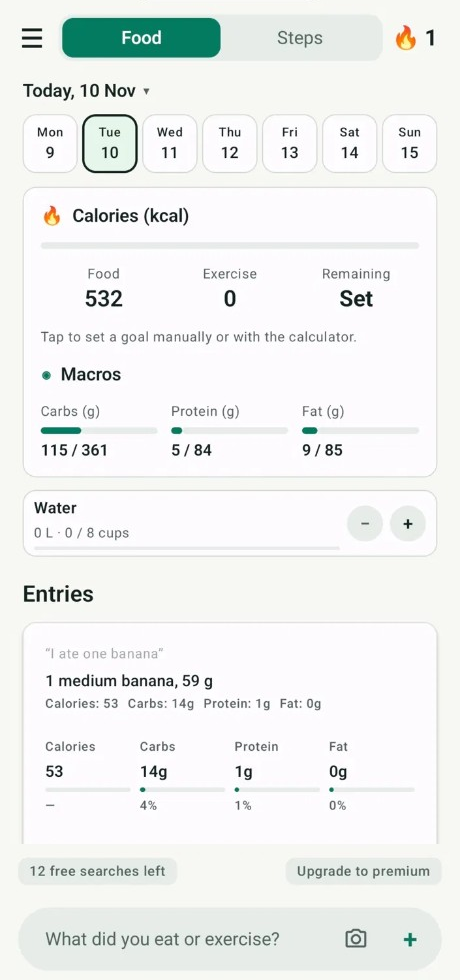
Write the meal the way you remember it. Velora turns that into calories, protein, carbs, and fat.
 VeloraAI Calorie Counter
Type what you ate, photograph the plate, or scan a package. Velora estimates the calories and macros, and the step counter keeps today’s movement next to that diary.

Use whichever is in front of you. Each one ends in the same place: an estimate you can check, then a line in today’s diary.
Write the meal the way you remember it. Velora turns that into calories, protein, carbs, and fat.
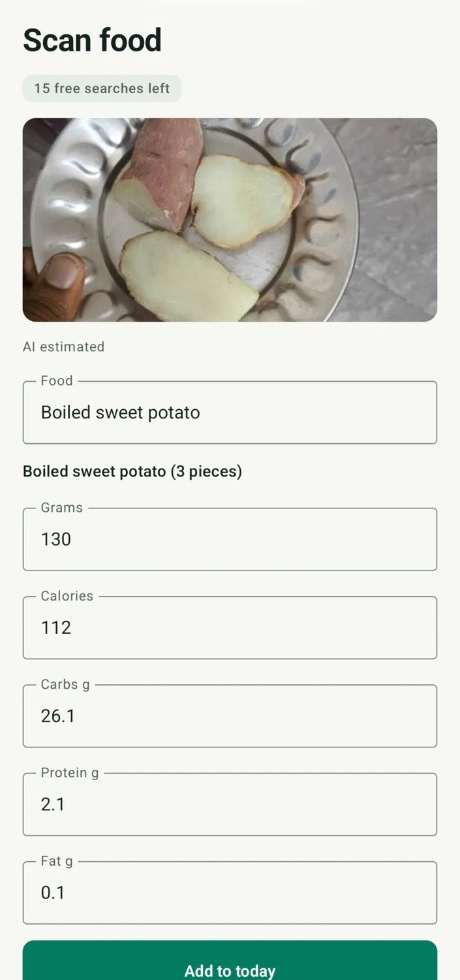
A photo can stand in for typing. You see the suggestion and choose whether to keep it.
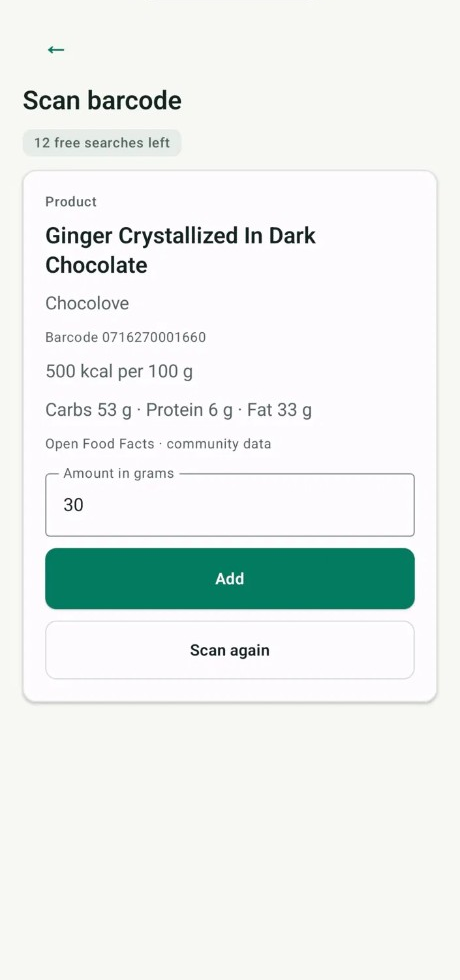
Point the camera at a packaged food. Review the match, or enter the food if the code is not recognized.
Chat
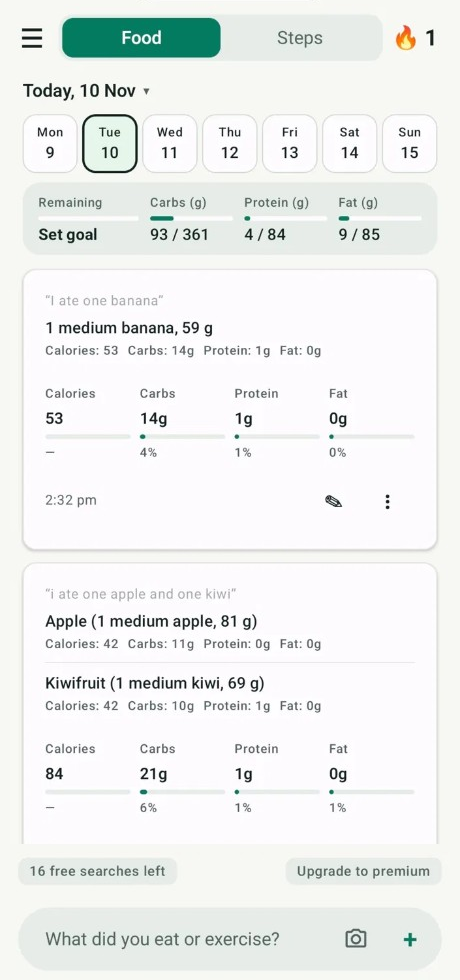
A short sentence is enough to start. The estimate shows the calories and the macros, and the words you typed can stay with that entry.
Photo
Point the camera at the meal. Velora suggests a name, an amount, and the calories. Nothing is added until you keep it.
Barcode scanner
The scanner reads the barcode on the packet. Velora shows the food and the calories so you can check them before they join the day. If a code is not recognized, you can still add that food yourself.
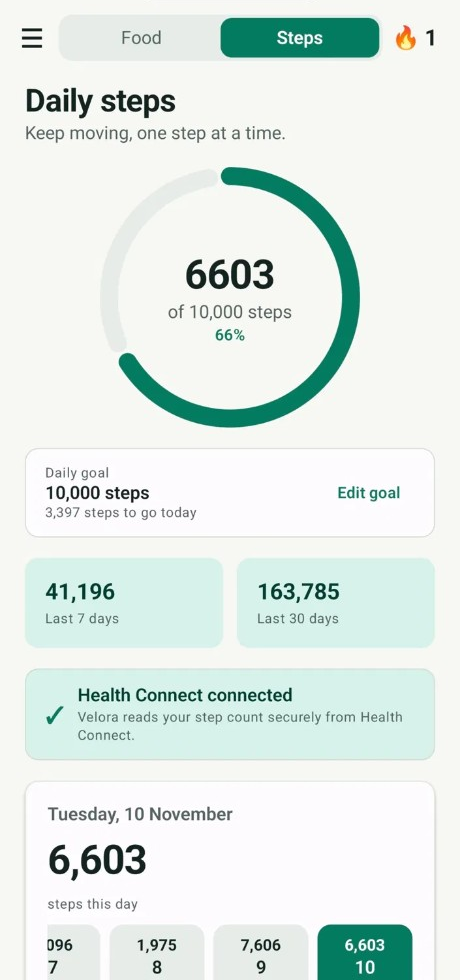
Step counter
Set a daily step goal and watch the ring fill. Velora can read the count from Health Connect, and you can type the steps yourself when you want to. The last 7 days and the last 30 days stay on the same screen.
Calories are only the start. The same home screen holds the rest of what you chose to track.
Each saved meal adds to the day’s macros, next to the calories you have left.
Log cups through the day and keep a target in view.
Logged days stay marked, so a quiet week is easy to see.
Record weight beside the meals, without a second app.
Optional nudges for meals, water, and the habits you turn on.
The diary, photos you save with a meal, goals, and reminders stay in the app on your phone. Signing in prepares an account. It does not, by itself, upload that diary.
Type the meal, take a photo, or scan a barcode.
Look at the calories and macros. Change what you need, or leave it out.
The meal joins today’s total. Steps stay beside it, toward the goal you set.
“I was searching for what I want. It is an excellent application to measure meals calories. Easy to use and user friendly.”
The Android app is listed as Velora. Estimates are a guide you review before saving. Velora is not a medical service.